
- Oracle 12c数据库上市 6大特性为云而变
- Hyper-V R2与vSphere功能对比
- 揭示Hyper-V 3.0超越虚拟化的真正用意
- 大话Hyper-V
- 2012虚拟化:Win8/Win Server齐上阵


CHCKPOINT为Amazon云提供虚拟环境安全云解决方
CHCKPOINT为Amazon云服务提供虚拟环境安全云解决方案
Virtual Appliance for Amazon Web Services
优势
Deploy Check Point Software Blades for security in the Amazon Cloud
- Firewall and IPS Software Blades to protect assets in the cloud from attack
- VPN and Mobile Access Software Blades for secure connectivity and mobility
- DLP Software Blade to protect data in the cloud and stop data breaches
Quickly enable advanced security for enterprise assets in the Amazon Cloud
- Enable a Check Point Virtual Appliance with one click in Amazon Cloud
- Choose the right software blades for your security needs
Easily manage hybrid environments of cloud and on-premise security
- Manage your security in the Cloud using industry leading security management
- Create one security policy for cloud and on-premise assets from one console
- Simplify compliance and audits with unified logs and reporting
技术特点
Full protection with Check Point Software Blades
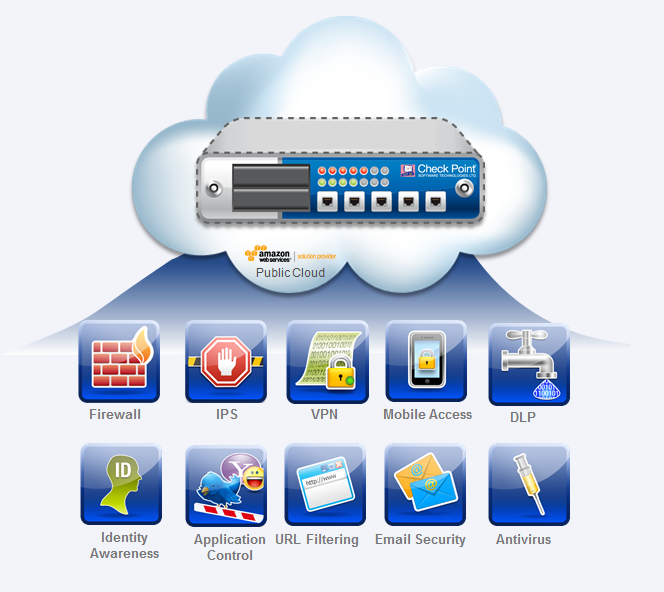
Using the Check Point Virtual Appliance, a security gateway for the Amazon Cloud, get the full range of protections with the Check Point Software Blade architecture. The Firewall and IPS Software Blades protect services in the public cloud from unauthorized access and attacks. The Application Control Software Blade helps prevent application layer denial of service attacks and protects your cloud services. The IPsec VPN Software Blade allow secure communication into cloud resources. The Mobile Access Software Blade allows mobile users to connect to the cloud with an SSL encrypted connection with two factor authentication and device pairing. The DLP Software Blade prevents data breaches with unique User Check technology to allow real-time user remediation.
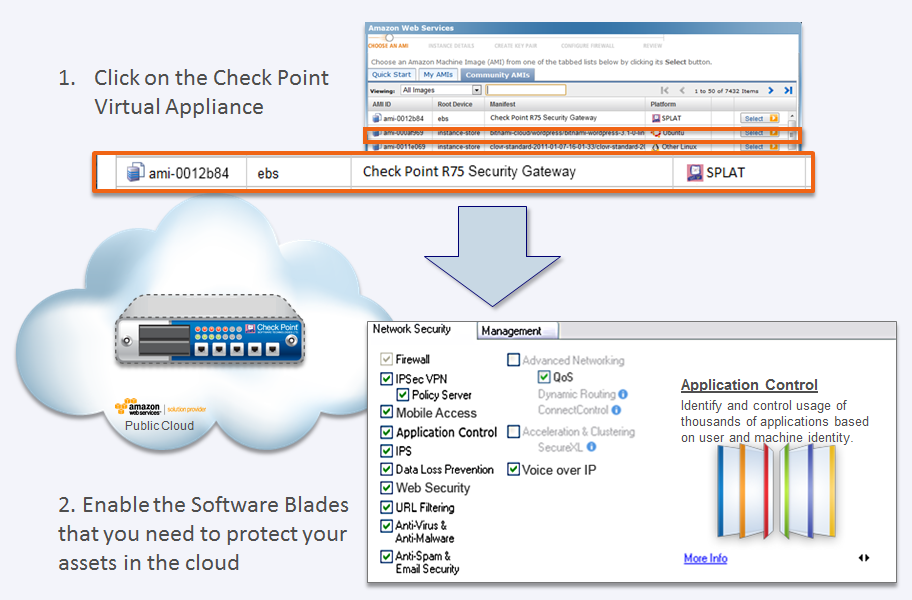
Quick deployment in 2 simple steps
Through Amazon Web Services, simply click on the Check Point virtual appliance to begin enabling relevant software blade protections in the cloud for securing your cloud assets.
Unified Management for cloud and on-premise infrastructure
Manage the virtual appliance in the the Amazon Cloud using your existing on-premise Check Point Unified Security Management Solutions. Enforce a consistent security policy for corporate assets in both the Amazon Cloud and on-premise infrastructure from a single console.
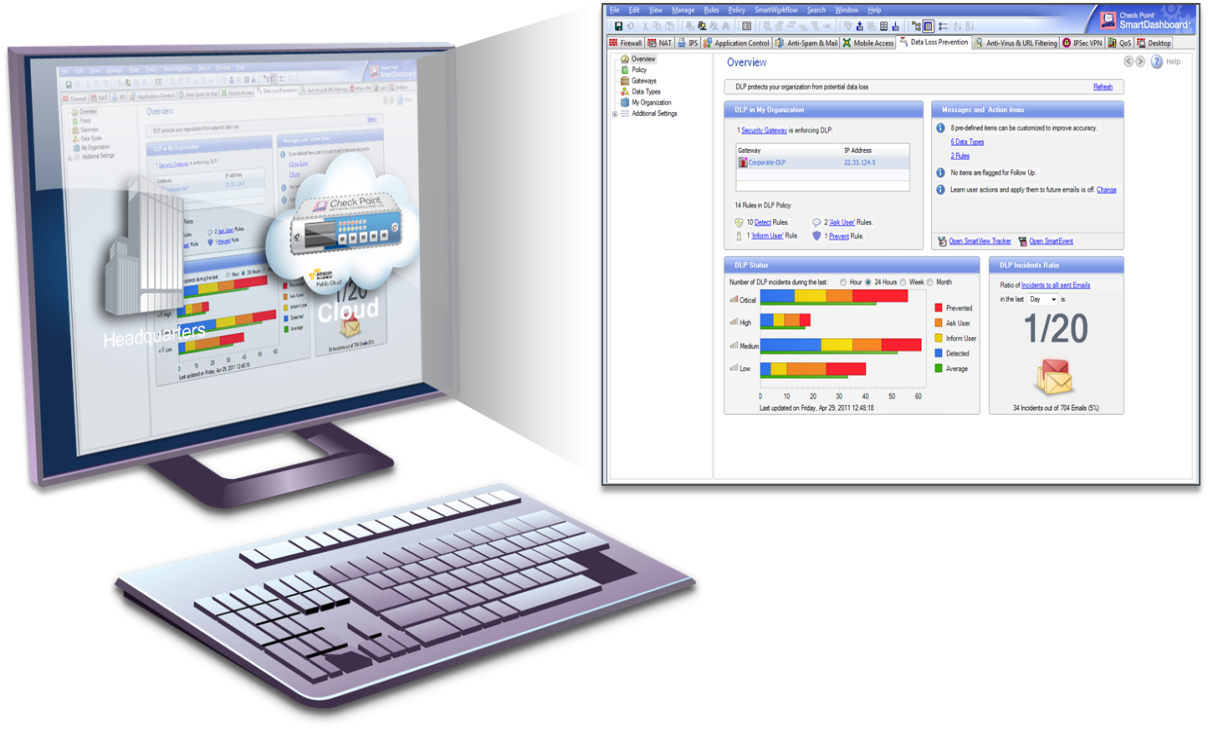
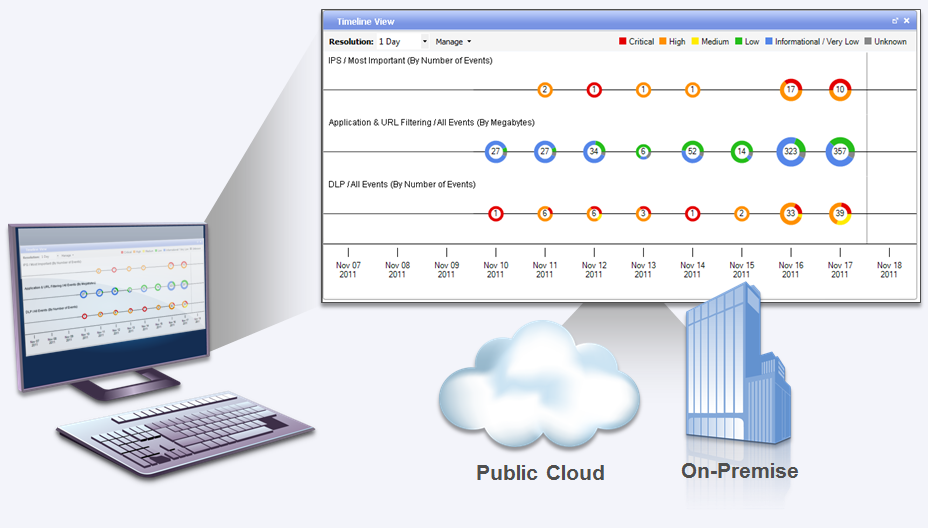
Get visibility and enforcement across your cloud and on-premise infrastructure using the Smart Event Software Blade. Simplify compliance and audits with unified logs and reporting.
Configuration tool for easy Virtual Appliance setup
The Check Point Virtual Appliance Configuration Tool can be run on your laptop or computer. It creates a virtual private cloud with a private subnet, and then launches a Check Point Virtual Appliance into it. The entire process takes less than a minute!
Once finished, you'll be able to connect to your new Virtual Appliance and configure it.
Instructions:
- Download this file and unzip it to a directory of your choice (Windows only).
- Run cpvpc.exe.
- Enter your AWS Access Key and Secret Key. These can be found on the AWS web console. From the AWS Security Credentials page, select the Access Keys tab to view the key values.
中文 版
亚马逊web服务虚拟设备
Check Point公司的亚马逊web服务虚拟设备,使客户可以使用全系列的Check Point软件刀片来将客户的安全扩展到云端。在亚马逊云中虚拟环境部署一个安全网关的虚拟设备非常容易,这个虚拟设备用于防止网络攻击和数据泄露,同时实现动态云计算环境的安全连接。
优势
部署Check Point软件刀片为亚马逊云服务提供安全防护
防火墙和IPS软件刀片防护云中的资产免受攻击
VPN和移动接入软件刀片提供安全连接移动的安全接入
DLP(Data Loss Prevention 数据防泄漏)软件刀片保护云中的数据,阻止数据泄露
快速建立对亚马逊云中企业资产的高级防护
在亚马逊云中一键启用Check Point虚拟设备并为您的安全需求选择合适的软件刀片
简化混合环境下云端和本地环境的安全管理
使用行业领先的安全系统管理系统来管理云中的安全
使用同一个控制台分别为云和本地资产创建安全策略
使用统一的日志和报告来简化合规性检查和审计
技术特点
利用Check Point软件刀片进行全面防护
使用Check Point 虚拟设备,即亚马逊云中的一个安全网关,就可以获得Check Point软件刀片体系提供的全面防护。防火墙和IPS软件刀片保护共有云中的服务不受非授权的接入和攻击。应用控制软件刀片有助于阻止应用层的拒绝服务攻击,并保护您的云服务。IPSec VPN软件刀片使您与云中的资源建立安全通信。移动接入软件刀片可以让移动用户安全连接到云中(使用双因子验证和设备配对的SSL加密连接)。DLP软件刀片使用独特的用户检查技术防止数据泄露允许用户实时补救。
两步快速部署
通过亚马逊的WEB服务界面,简单的点击Check Point 虚拟设备按钮就可以开始开启云中相关的软件刀片防护措施来保障您云中资产的安全。
统一管理云和本地基础设施
在亚马逊云中可使用您现有的本地Check Point统一安全管理解决方案来管理虚拟设备。
使用统一个控制台在亚马逊云中和本地的基础设施上执行一致的安全策略
使用Smart Event 软件刀片跨越云端和本地的基础设施来获取可视化的结果。简化使用统一的日志和报告来简化合规性检查和审计。
简单的虚拟设备设置配置工具
Check Point 虚拟设备配置工具可以在您的笔记本电脑或者台式机电脑中运行。他利用私有子网创建了一个虚拟的私有云并且在其中建立一个Check Point 虚拟设备,整个过程不超过一分钟。
完成后您就可以连接到您的虚拟设备中并且对其进行配置。
说明:
下载此文档并且解压至您所选择的目录中(windows平台)。
运行cpvpc.exe程序。
输入您的AWS接入密钥和密码密钥。这两个密钥可以在AWS web控制台中获得。在AWS安全凭据页中,选择”Access Key”标签来查看这些密钥的值
附件下载:
 公安机关备案号:13010302000361